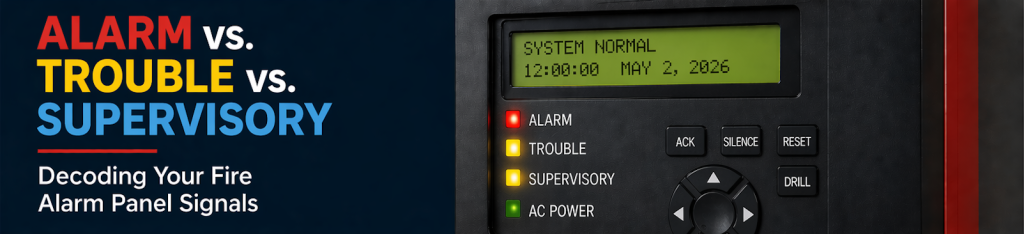
Alarm vs Trouble vs Supervisory: Decoding Fire Alarm Panel Signals
What does alarm, supervisory, or trouble mean on a fire alarm panel? Learn what each signal means and what to do next.
If you walk into your building and hear the fire alarm panel chirping, your first instinct is probably to find the silence button as fast as you can. It is a loud, distracting sound, and it is hard to focus on anything else while it is going off.
Before you clear the screen, you need to know what that noise actually means. The panel is trying to tell you one of three things, and knowing the difference will tell you exactly how fast you need to move.
At a glance: Alarm vs Trouble vs Supervisory Signals
Signal type | What it usually means | What to do now |
Alarm | The system is detecting a fire condition or was activated | Follow emergency procedures immediately |
Supervisory | A system condition is not normal (valve, pressure, etc.) | Investigate and notify service |
Trouble | A system issue affecting reliability or communication | Capture details and schedule service |
Alarm vs Trouble vs Supervisory: What They Mean
Alarm
- Follow emergency procedures immediately
- Evacuate if required
- Treat as real until confirmed otherwise
Supervisory
A supervisory signal means something in your system isn’t in its normal condition. Many of these conditions originate from connected systems like your sprinkler system.
Common examples:
- A sprinkler valve is closed or partially closed
- System pressure changes
- Equipment not in its normal state
- Identify the affected area or device
- Notify your service provider
- Address it promptly
Trouble
- Low batteries or power issues
- Communication failures
- Wiring or device faults
- Capture the exact message
- Note the location and time
- Contact your service provider
What to do first (checklist)
- Identify the signal type (alarm, supervisory, or trouble)
- Read and record the exact message
- Note the location or device
- Record when it started
- Then silence if appropriate
*A quick note on roles & regulations
Building Changes and Environmental Factors
- Renovations or ceiling work
- HVAC changes
- Dust, humidity, or debris
- Changes in how spaces are used
What to send your service provider
- Signal type (alarm / supervisory / trouble):
- Exact panel message:
- Location or device:
- When it started:
- Is it still active:
- Any recent building changes: